
Vyce Forms
The digital forms app for construction sites
Build RAMS sign-offs, toolbox talks and H&S checks in minutes. Workers complete them on their phone, and you see who's signed and who hasn't.

Construction form builder: create forms in minutes
Paper forms slow a site down. Sheets go missing, signatures are hard to read, and someone in the office has to type everything up before anyone can see what was said. When you need to show who completed what, you end up digging through folders.
Vyce Forms lets you create forms in minutes. Choose the questions that suit the job: multiple choice, scales, dates, times or open answers. Add images or video so workers can see exactly what you mean, whether that is a method being explained or a hazard being pointed out.
The same builder works for RAMS sign-offs, toolbox talks and health and safety checks, so your team only has one tool to learn. Laila, Vyce's free AI assistant, works across the platform too.
RAMS sign-off app: proof that every worker has read and acknowledged
RAMS only protect people if they have been read. Vyce Forms gives you proof that members have read and acknowledged documents such as RAMS, recorded against each person.
Instead of a signature sheet passed around the cabin, each worker acknowledges the document themselves. You can see who has signed and who hasn't, without counting names on a clipboard.
When a document changes, send it out again and collect fresh acknowledgements in the same way.
Toolbox talk app: assign, remind, record
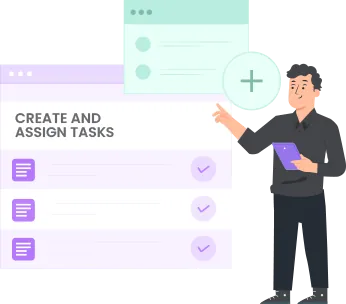
Assign a toolbox talk to individuals, teams or locations. Everyone who needs it receives it, and nobody who doesn't is left wondering why it arrived.
Automated reminders go out to anyone who hasn't completed it, so your supervisors spend less time chasing. Every completion is recorded, giving you a clear record of who took part.
Because forms can be assigned by location, you can target a talk at one site without sending it to the whole company.
Digital H&S forms completed on any phone or tablet
Workers complete forms on a phone or tablet, wherever they are working. There is no need to come back to the office, find a printer or wait for a supervisor to hand out sheets.
Health and safety checks, sign-offs and talks all sit in the same place on the worker's device. Images or video in the form give context on the spot, so the person completing it knows exactly what is being asked.
For checks of the site itself, pair forms with our site inspections app. To keep worker records and qualifications in order, Vyce Forms sits alongside our workforce compliance software.

Responses, charts and summaries in one place
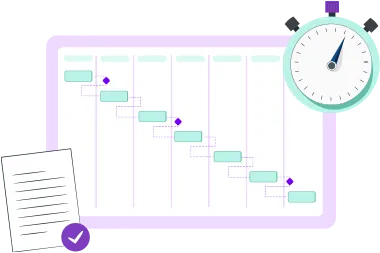
As forms are completed, responses arrive with automatic charts and summaries. You can see the overall picture at a glance and drill into individual answers when you need to.
Responses come in digitally with automatic charts and summaries, and the information is ready to review as soon as it comes in.

Stored securely, available in one place
Everything is stored securely and available in one place. Completed forms, acknowledgements and responses stay together, so when someone asks who signed a RAMS or attended a toolbox talk, the answer is easy to find.
Nothing is lost in a van, a folder or an inbox, and the record is there whenever you need it.